





```html
```
How to Withdraw
Simple and quick guide to withdraw from your Bwinners account
MTN WITHDRAWAL METHOD
MTN Withdrawal Steps
👈 Swipe to navigate 👉
Step 1 of 7
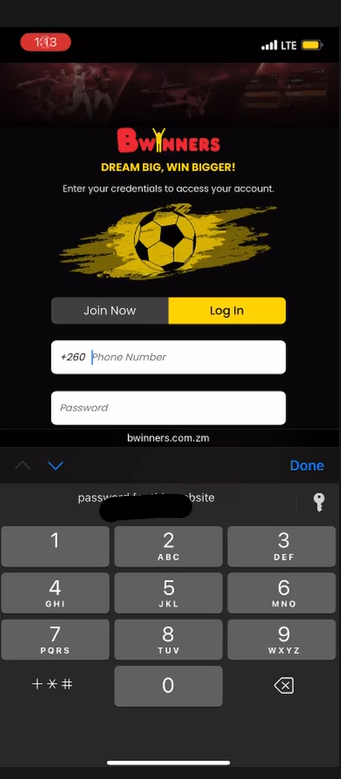
1
Login
User logs in.
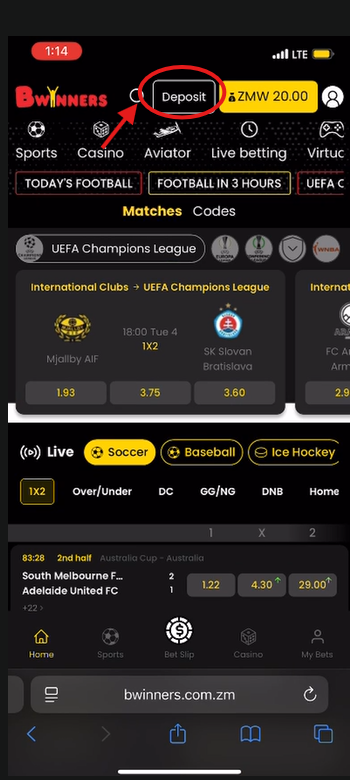
2
Deposit Section
User clicks on "Deposit".
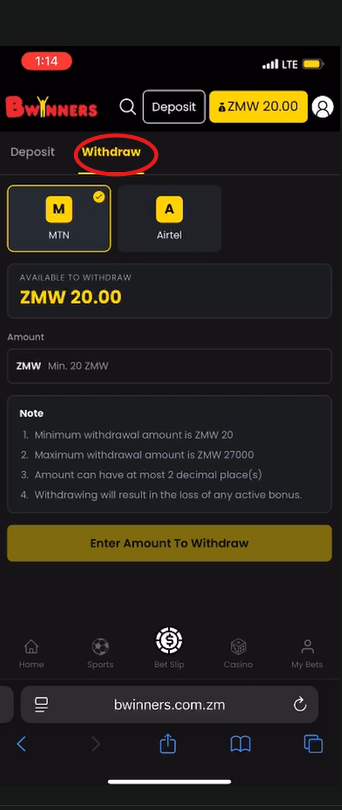
3
Withdraw Tab
User clicks on the "Withdraw" tab.
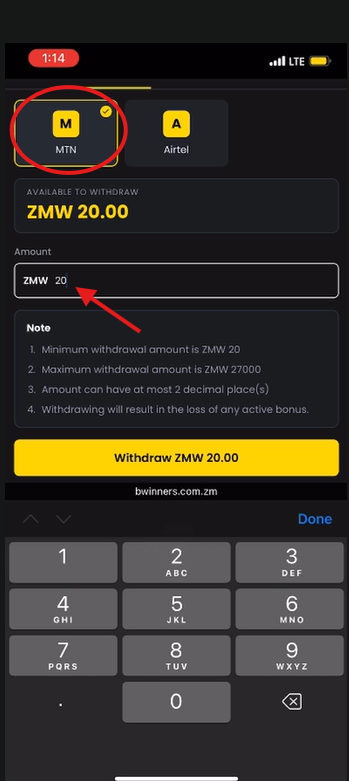
4
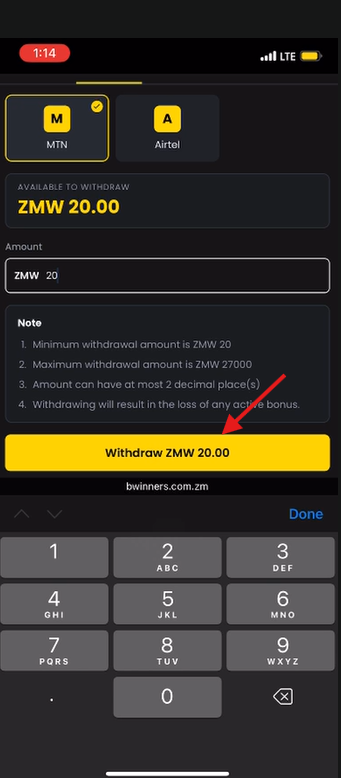
Enter Amount
User enters an amount, for example: ZMW 20.00.
5
Withdraw Button
User clicks on the "Withdraw ZMW 20.00" button.
6
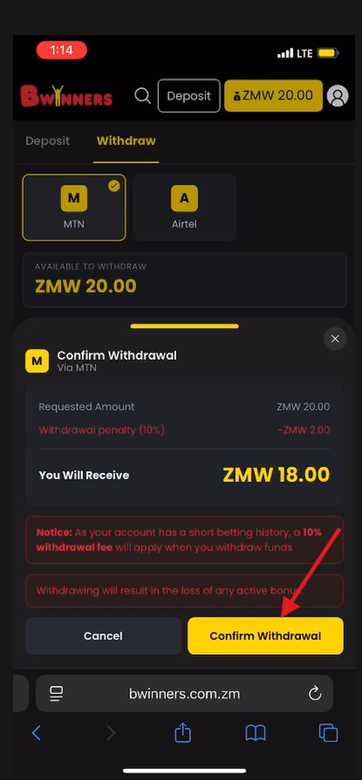
Confirm Withdrawal
User clicks on "Confirm Withdrawal".
7
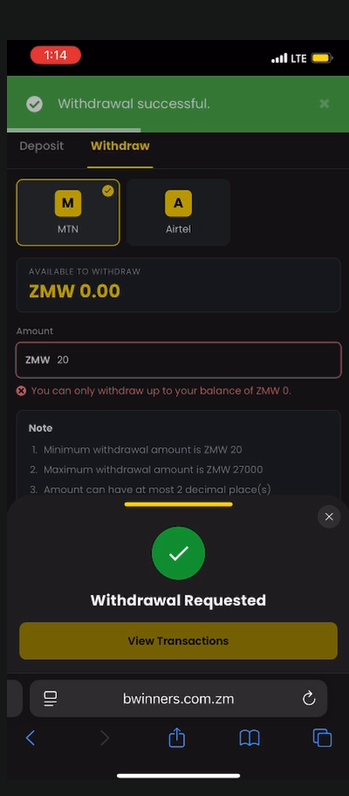
Withdrawal Requested
The withdrawal has been requested.
✓ Done! Your withdrawal has been processed successfully.